Get started
Your first chat
Five things to try in your first ten minutes, and what you'll see for each one.
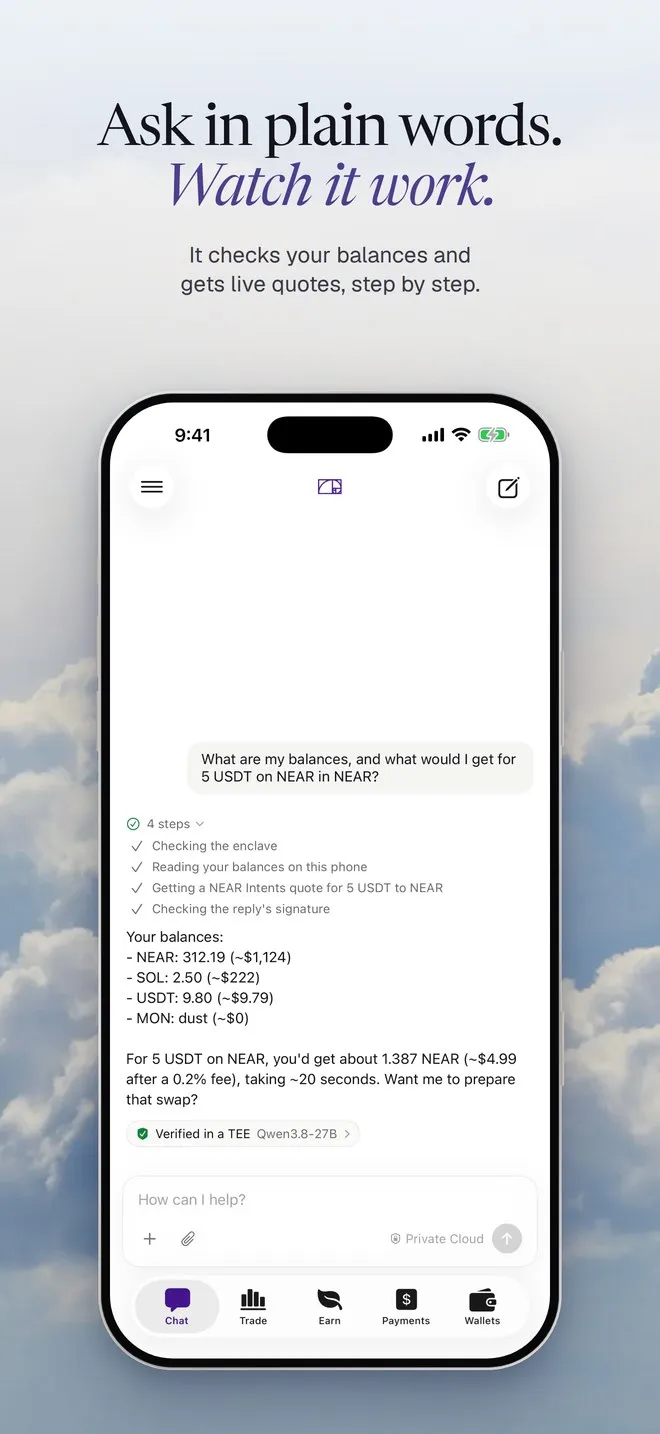
Once the model has landed, these five show you most of what Hermit does. The first three work with an empty wallet. Type them the way you’d say them. While Hermit works, it shows each step in grey under your message, and a tap on the steps opens them.
1. Ask for a quote
Section titled “1. Ask for a quote”How much USDC on Solana would 0.5 ETH on Arbitrum get me?
- Getting a NEAR Intents quote for 0.5 ETH to USDC
What you’d get, from a live NEAR Intents quote. It’s a dry quote, so nothing is prepared and there’s nothing to sign.
Try your own pairs. Quotes cover the EVM chains, Solana, NEAR, Bitcoin and Hyperliquid.
2. Ask for a swap
Section titled “2. Ask for a swap”Swap 20 USDC on Base to NEAR
- Getting a NEAR Intents quote for 20 USDC to NEAR
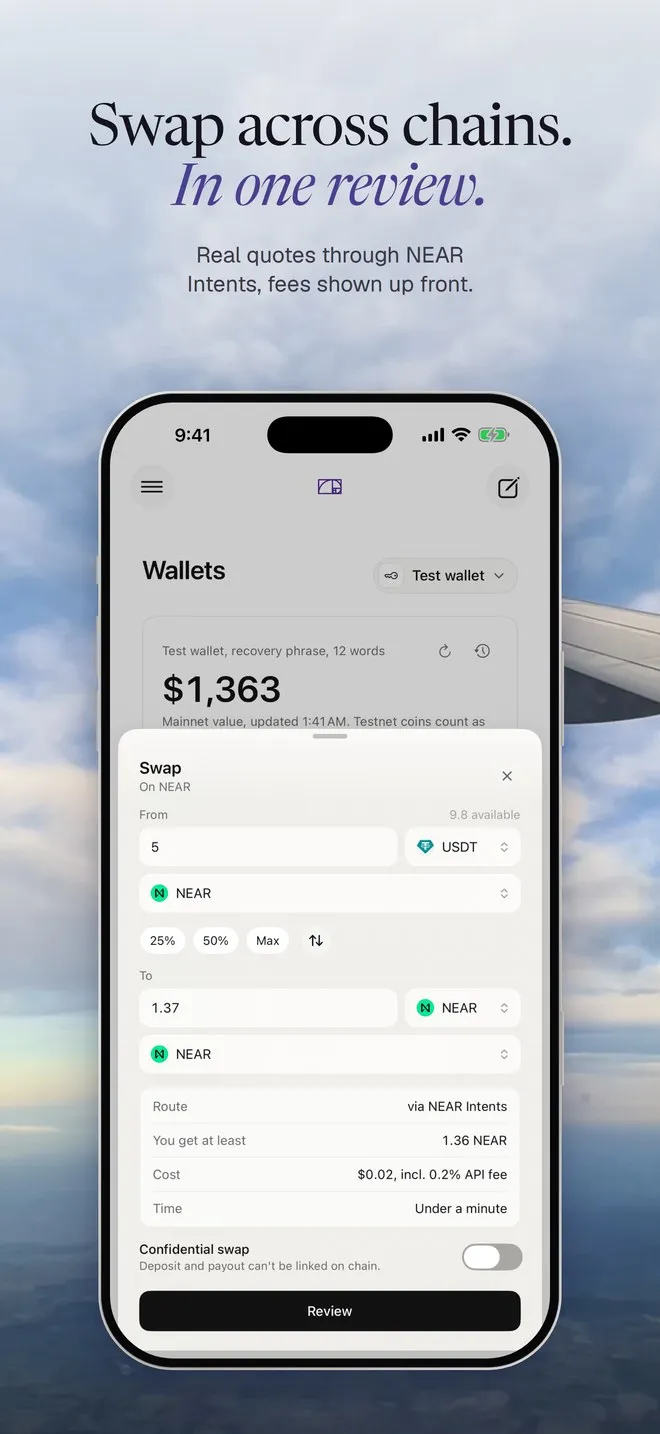
- Preparing the swap for your review
The Swap review opens, filled in: the route, what you get at least, the cost and the time.
A prepared swap isn’t a done swap. Nothing moves until you tap Review and approve it with Face ID (Touch ID on a Mac). With an empty wallet you’ll see “Only 0 USDC on Base.” and Review stays off, which is fine for a first look.
3. Ask for too much
Section titled “3. Ask for too much”Swap 500 USDC on Base to NEAR
Nothing is prepared. The reply says the assistant can prepare up to $100 per move, and that you can open Swap yourself for more.
That’s the spending policy. The assistant gets tighter limits than you do, and it doesn’t matter who’s asking it: you, an automation, or text hidden in a file. You can still do the big swap yourself in the Swap screen.
4. Turn off the internet
Section titled “4. Turn off the internet”Make sure the chat is on On-device (the name next to Send says Hermit 1.2 or Hermit 1.1 Lite, not Private Cloud). Then turn on Airplane mode, or turn off Wi-Fi on a Mac, and ask something that doesn’t need live prices:
What's the difference between a limit order and a market order?
It answers. The model is on your device, so your question never left it.
Anything that needs the internet, like a quote or your balances, has to wait until you’re back online.
5. Set up an automation
Section titled “5. Set up an automation”Open Automations from the menu (the sidebar on a Mac) and tap the starter “Every minute, tell me the BTC price and my wallet total”. Hermit drafts it and says “Here is the automation. Check it, then save it.” Tap Save.
Within about a minute a toast says it ran, and you get a notification too. Hermit asks for permission the first time. Each run is its own chat, so you can open it and read the answer.
Automations run while Hermit is open. If it’s closed at the time, you get a reminder and it runs when you open Hermit. An automation can prepare a move, but it never approves one: that waits for you. Once you’ve seen it work, delete the every-minute one from its menu and try “Every morning at 8, brief me on my portfolio and the market” instead.
That’s the tour. Chat goes deeper on the chat box, and Approvals shows what the review checks.