Use Hermit
Earn
Lend stablecoins on Aave v3 from inside Hermit, see what you've deposited, and compare yields from DefiLlama.
Earn has three tabs: Savings, Your deposits and Explore. Rates come from DefiLlama’s public yields data. Rates change, and past rates aren’t a promise.
Savings
Section titled “Savings”Savings lists pools where you can lend dollars and earn interest. Tokens you already hold come first, then the cheap networks, then the rest by rate.
Two kinds of row:
- Aave v3 pools on Ethereum, Base and Arbitrum have Deposit. Hermit does the deposit itself, from your wallet.
- Other pools, like Kamino and Jupiter Lend on Solana, have Open. That opens the protocol’s own app in Hermit’s browser with your wallet connected, and every request still comes to you for review.
The rate on an Aave row is only what the deposit earns. Some pools also pay reward tokens, and Hermit doesn’t collect those, so it leaves them out of the number.
Deposit into Aave
Section titled “Deposit into Aave”- In Savings, tap Deposit on a pool, like USDC on Base.
- Type the amount, or tap Max. The sheet shows how much of the token is in your wallet on that network.
- Tap Review. Hermit reads the pool’s contract first: is the token listed, active, not frozen or paused, and what does it pay right now.
- The review shows the pool, the amount, the live rate and the steps. A first deposit is usually two: “Allow, then deposit (two Face ID prompts)”.
- Approve. Each step is simulated before it’s signed.
Your deposit earns from the next block. Base and Arbitrum cost cents in gas. Ethereum costs dollars.
Your deposits and Withdraw
Section titled “Your deposits and Withdraw”Your deposits reads your Aave positions from the chain for every wallet: the amount (interest included), the live supply rate, and Withdraw. Withdraw takes out the whole deposit, after a review and Face ID (Touch ID on a Mac). You can withdraw whenever the pool has spare cash, meaning money that isn’t lent out right now.
It also shows your Hyperliquid account value, with Open to go to Trade.
Explore
Section titled “Explore”Explore is for reading and asking. It lists the larger yields (at least $10M deep) on Ethereum, Base, Arbitrum, BNB Chain and Solana, with filters. Tap a pool for 90 days of its rate, its numbers, and Ask, which sends it to Hermit in chat. Aave v3 pools get Deposit here too.
Funding carry shows live Hyperliquid funding rates, for the trade where you hold a coin and short its perp. Explain a vault takes a vault or wallet address and asks Hermit where its yield comes from.
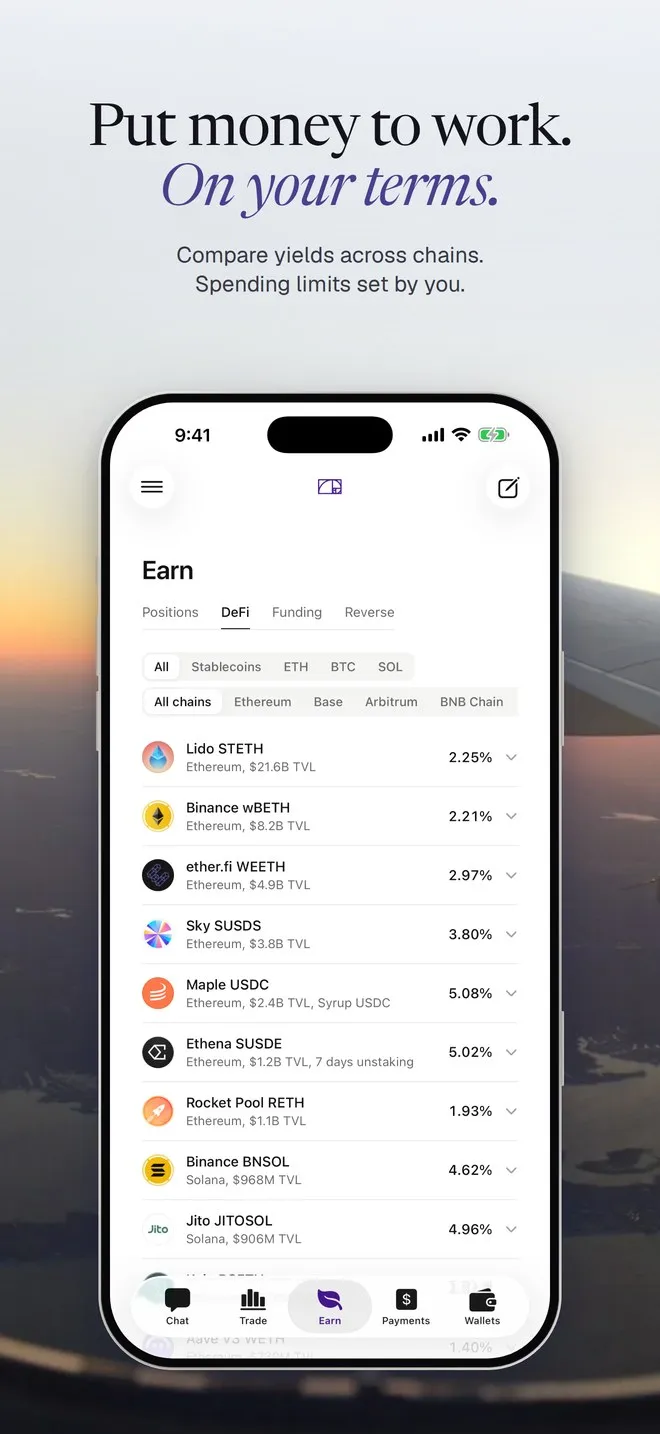
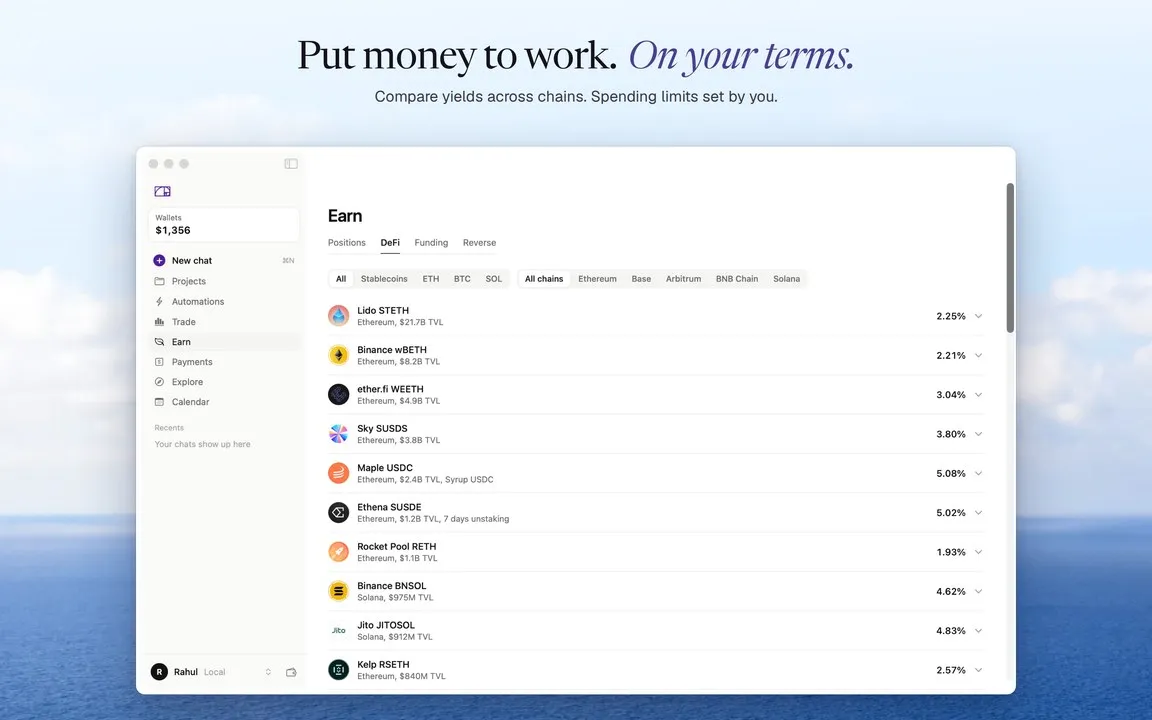
These shots are from just before we split Earn into three tabs. The list looks the same, and it now lives under Explore.
Ask in chat
Section titled “Ask in chat”Put 50 USDC in Aave on Base
- Preparing the USDC deposit for your review
A Review deposit button that opens the Deposit sheet with 50 filled in.
Where can I get the best yield on USDC?
- Looking up yields
The top pools with their protocol, chain, APY and size.
Withdraw my USDC from Aave on Arbitrum
- Preparing the withdrawal for your review
A Review withdrawal button.