Get started
Make or import a wallet
Make a new wallet or bring your 12 or 24 words. One wallet covers the EVM chains, Solana and NEAR.
Your keys are made on your device and never leave it. You don’t need the internet for this part, and you can do it in Airplane mode if you like. The sheet shows “Made on this phone” with Online or Offline next to it, so you can see.
Start from the Create your wallet card on the home screen (on a Mac it’s also at the top of the sidebar). You get two choices: Create a new wallet, or Import a recovery phrase.
Create a new wallet
Section titled “Create a new wallet”- Tap Create a new wallet. Give it a name, or keep “Wallet 1”. The sheet tells you what you’re getting: keys made and kept on this phone, locked by Face ID or your passcode (Touch ID or your password on a Mac), 12 new words, and addresses on the EVM chains, Solana and NEAR.
- Tap Create wallet. Your 12 words show up once, under “Write these words on paper, in order”. Do that. No screenshots, no notes app, nothing that syncs.
- Tap I wrote it down. Hermit asks you to type two of the words from your paper, say Word 4 and Word 11. If one is off, you’ll see “That doesn’t match. Check the words and try again.”
- Tap Confirm. You’ll see Wallet ready, with your EVM and Solana addresses.
If you tap Later instead of checking, the wallet still works, but it says “Not backed up yet”. You can show the words again from the wallet’s Security tab, after Face ID.
Import a recovery phrase
Section titled “Import a recovery phrase”- Tap Import a recovery phrase.
- Type or paste your words with spaces between them. The counter above the box shows how many it sees, like “12 words”. It takes 12 or 24 words (15, 18 and 21 work too).
- Name it, or keep “Imported”, and tap Import.
Your words never leave the device. You get the same addresses you had in MetaMask and Phantom, because Hermit uses the
same standard paths: m/44'/60'/0'/0/0 for EVM and m/44'/501'/0'/0' for Solana.
What one wallet gives you
Section titled “What one wallet gives you”One set of words makes three kinds of address. The top of the Wallets page lists them, and a tap copies one.
| Address | Works on |
|---|---|
One 0x address |
Ethereum, Base, Arbitrum, BNB Chain, Polygon, Monad and Robinhood Chain |
| A Solana address | Solana |
| A NEAR account | NEAR. It’s a 64-character implicit account, made from your words on the device. |
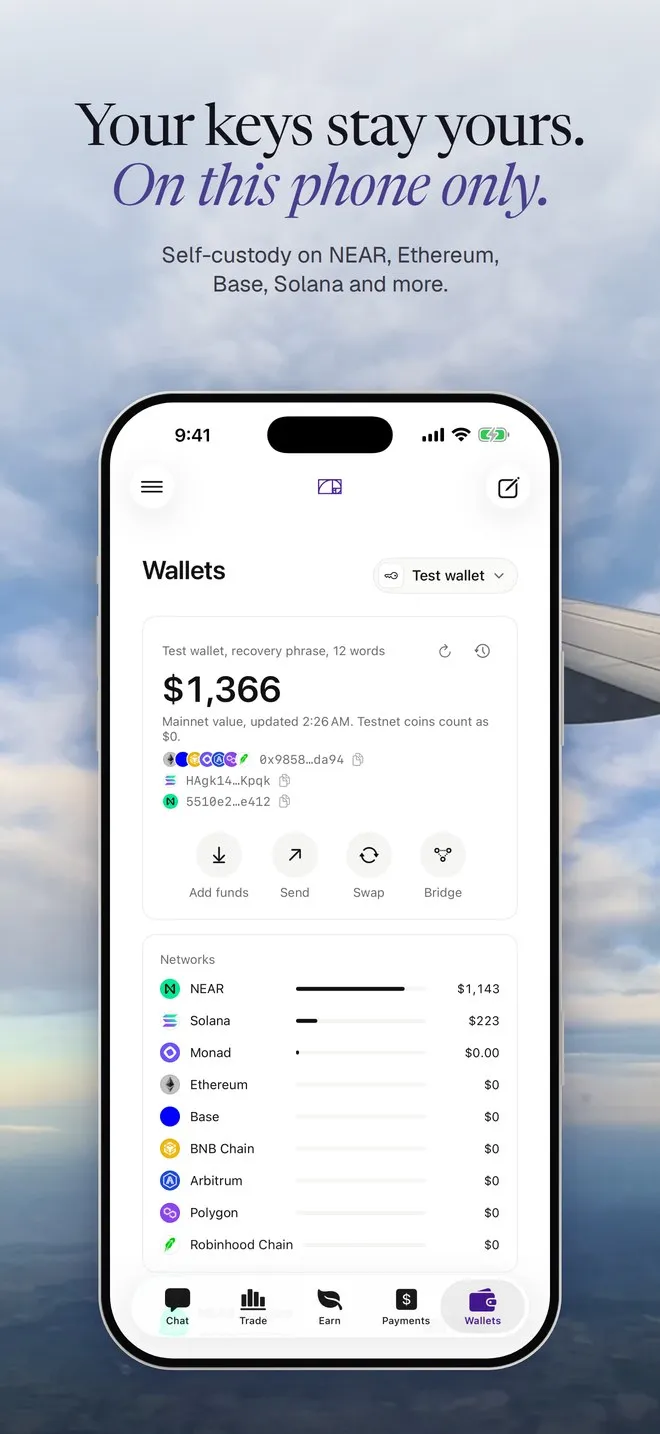
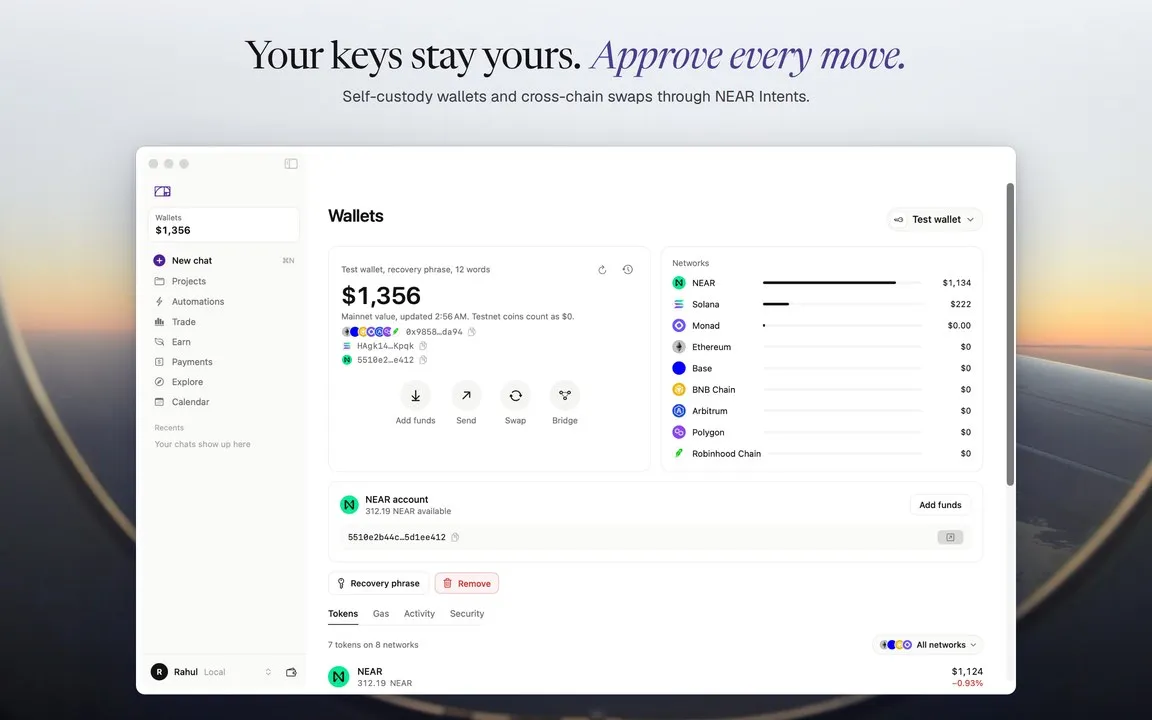
Wallets made with an older version of Hermit might not have the NEAR account yet. Hermit adds it after one Face ID check. Your NEAR account has the details.
More than one wallet
Section titled “More than one wallet”Tap the wallet name at the top of the Wallets page. The menu lists every wallet on the device and All wallets, which adds them up. At the bottom, Create or import a wallet opens the same two choices as before.
Each wallet’s name is the one you give it when you make or import it.
Removing a wallet
Section titled “Removing a wallet”Open the wallet’s menu (the ⋯ next to it) and tap Remove from this phone, or use the Remove button in the wallet’s Security tab. Hermit asks you to confirm and tells you what it holds. If the words are backed up, it says you can restore it any time with its recovery phrase. If they aren’t, it warns you it can’t be recovered and offers Back up words first.
Removing a wallet deletes its keys from the device. It also disconnects every web app that wallet was connected to.
Next: put some money in it.